


Yoosee
3.71.48K Reviews
App Specs
- Version
- 6.44.1
- Updated On
- License
- Free
- Downloads
- 50,000,000+
- Developer
- Gwell
- Categories
- Video Players & Editors
- Platform
- Android, iOS
Screenshots
 Analysis by AppCompare
My starting point with a home-monitoring app is usually practical: I want to check a camera without turning a quick look into a technical project. That is the role Yoosee aims to fill. It is a free video-monitoring app from Gwell, and its focus is the handoff between a camera at home and a phone I can carry elsewhere. I find that framing useful: the app is not a camera by itself, so the experience depends on having compatible camera devices and a network that can connect them.
What I would check before relying on it
Before choosing any camera companion app, I would first make sure the camera I plan to use is compatible and that I can complete its network setup where it will sit. That simple check matters more than browsing feature lists: if the device cannot be paired reliably, live viewing and alerts are beside the point. For a renter, someone setting up a camera in a family home, or anyone replacing an older camera, I would treat the phone app and camera as one system rather than assuming that any Wi-Fi camera can work with it.
Yoosee is rated for Everyone, and it has been available since May 30, 2015. Its current version is 6.42.1, with Android 7.0 as the minimum operating system. Those details make it easier to judge basic device fit, but I would still check compatibility for the particular camera and phone before planning a setup around it. The app has a 3.7 average from around 309,000 ratings, and more than 50 million installs. I read those figures as evidence that it has broad use, not as a promise that every camera, router, or household will behave the same way.
From pairing to a useful daily routine
The first useful test is not whether a camera appears in the app; it is whether I can repeat the whole routine after setup. I would place the camera where it has a clear view of the area I care about, connect it through the app, then leave the room and return to the live view from another spot. That checks the handoff from camera to phone in a realistic way. If the picture takes too long to load or the connection drops, I would investigate the home network and camera placement before trusting alerts to cover the gap.
Once live viewing works, I would adjust motion sensitivity with a little patience. A setting that is too sensitive can turn ordinary activity into noise, while one that is too low may miss movement that matters. I would begin with the camera aimed at the specific doorway, room, or walkway I want to watch, then observe what triggers notifications during a normal day. This is more effective than changing several settings at once because it helps identify whether the camera angle or alert threshold is causing unwanted pings.
For example, if I wanted to check on a pet while I was out, I would use the live view for a quick look and two-way audio only when speaking through the camera would actually help. I would test the audio before depending on it, since a conversation through a camera is not the same as talking face to face. For a shared home, I would also agree with other household members about when monitoring is appropriate and where a camera should not be pointed. A security tool is most useful when its placement and everyday use are clear to everyone affected.
When a notification needs a second step
A motion alert is a prompt to check, not proof that something is wrong. I would open the live feed to understand what caused the movement before deciding what to do. A passing person, a pet, or changing conditions in the room can all make an alert less urgent than it first sounds. That small pause is an important part of the workflow: the app can bring an event to my attention, but I still have to interpret it.
Worth Reading Before You Choose

Flipboard Shows What News Apps Must Do Beyond the Feed

Switching to Android Auto Means Rethinking Your Driving Routine

Google Calendar Makes a Crowded Week Easier to Manage

Ludo King Makes the Most of the Minutes Between Plans

Baby Panda World Brings Quick Play to Modern Phones, but Its Game Library Feels Busy

ESPN’s Live Game View Makes Following Close Games Easier
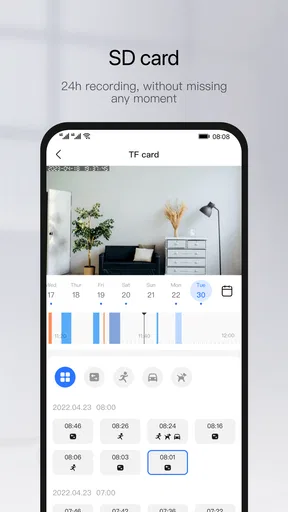
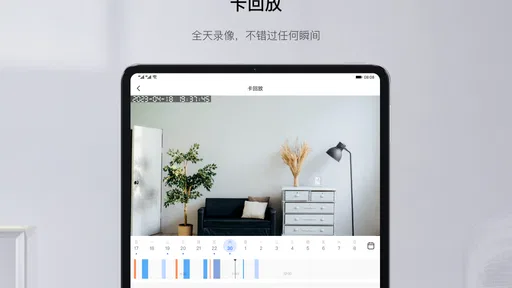
Playback and recording become more useful when I have a specific reason to review something, such as checking what happened around the time an alert arrived. I would learn where those controls sit before I needed them, then try reviewing a short period of footage while I was still at home. That is a better test than discovering the playback process during a stressful moment. Yoosee offers cloud-storage options, but I would consider storage arrangements and any associated terms before making cloud recording central to my routine. The useful question is not simply whether recording exists, but whether the option I choose suits how long I need to keep footage and how I expect to retrieve it.
The handoff can involve more than one person, too. If another household member needs to check a camera, I would make sure they know how to find the correct live feed and how to distinguish an alert from a confirmed problem. I would not assume that installing the app alone creates a shared monitoring arrangement; the people involved need a clear, agreed way to access and use the system. Keeping camera names understandable and limiting the routine to the feeds that matter can make quick checks less confusing.
Where it fits among camera apps
Compared with a general video player or editor, Yoosee serves a different purpose: it connects a phone to camera monitoring rather than helping me organize or edit ordinary video. Compared with camera systems built around a larger smart-home setup, its appeal is the straightforward camera-to-phone routine. I would consider it when I want to check a compatible camera, receive movement alerts, or review recordings without making a broader home-automation project the starting point.
That simplicity is also a trade-off. Someone who wants every device in the home managed through one elaborate dashboard may be better served by an ecosystem designed around that wider setup. Someone who mainly wants a polished way to edit clips should choose a video editor instead. And if the camera or network is unreliable, changing apps alone is unlikely to fix the underlying problem. I would judge the experience by the complete path from camera placement to a useful phone check, rather than by the number of options on a screen.
In everyday use, I would keep the workflow deliberately small: check the feed when needed, tune alerts to the space, and use playback only when an event gives me a reason to look back. That avoids turning every movement into a reason to open the app. It also gives a clear way to evaluate whether the setup is earning its place: alerts should be relevant enough to notice, and a live check should be easy enough to complete without repeated troubleshooting.
What can interrupt the flow
The main friction point is the connection between the camera, Wi-Fi, and phone. A weak or inconsistent network can affect streaming and the timing of notifications, so I would test the camera from the places where I actually expect to use the app, not just beside the router during installation. If a feed struggles, I would check the network path and camera location first. That is a more grounded response than assuming the app itself is always at fault.
There is also a difference between a feature being available and it fitting a particular routine. Two-way audio can be handy for a brief check-in, but it may not be the right way to handle a serious concern. Motion detection can draw attention to activity, but it cannot decide whether that activity is harmless. Recording can help reconstruct an event, but only if the chosen storage option and review process match what I need. I would keep those limits in mind rather than treating a phone notification as a substitute for judgment.
If privacy is a priority, I would think carefully about camera placement and who should be able to view the feed before connecting devices. A camera aimed at an entryway has a different impact from one pointed into a shared living area. I would also make time to understand the controls available in my setup and to keep access limited to the people who genuinely need it. These are everyday decisions, not advanced technical tasks, and they can prevent a convenient monitoring setup from becoming uncomfortable for the people at home.
Someone deciding whether to try it may wonder if the app is free, whether an older phone can run it, and whether it makes sense without a camera. Yoosee is free, supports Android from version 7.0, and is intended to work with camera devices; without a compatible camera, there is no live scene for it to show. Those are practical starting points, while the exact pairing experience still depends on the camera and network in the home. I would confirm those pieces before spending time building a monitoring routine around it.
For a first-time setup, I would avoid trying to perfect every option in one sitting. Pair the camera, confirm the live view, test audio if it matters, and then tune movement alerts over ordinary daily activity. Only after that would I decide whether playback and cloud storage suit my needs. This order makes troubleshooting clearer: if something goes wrong, I have a better idea which step needs attention.
Gwell’s app sits in a familiar but useful niche: a phone-based way to check compatible cameras and respond to what they show. Its 1.4 thousand reviews accompany a 3.7 average, which is another reminder to approach it as a practical tool to test in your own setup rather than a guaranteed fit for every home. I would recommend trying it to someone who already has a compatible camera and values direct access, motion alerts, and occasional playback. I would steer someone toward another option if they need a different camera ecosystem, a broader smart-home control center, or a dedicated video-editing workflow.
If you’re like me, you probably have a few apps that you rely on to keep your home secure and your mind at ease. One of the apps that’s been gaining traction recently is Yoosee. This nifty little tool promises to transform your smartphone into a hub of surveillance, and I decided to take it for a spin to see what the fuss is all about.
Setting Up Yoosee
Diving into Yoosee was surprisingly straightforward. The app is available on both Android and iOS, so whether you’re Team Android or a die-hard iPhone fan, you’re covered. Downloading it was a breeze, and the installation process didn’t require a degree in rocket science. Once it was up and running, the app walked me through connecting to my home network and syncing with my camera devices.
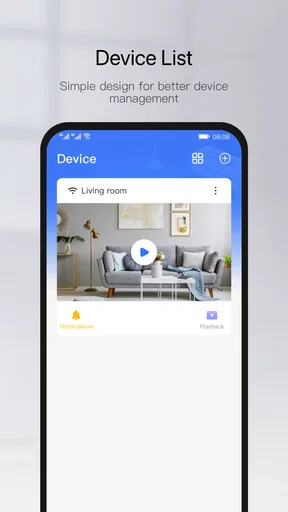
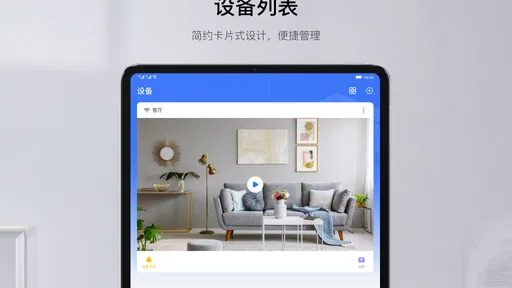
The user interface is intuitive, which I really appreciated. There’s nothing worse than downloading an app and feeling like you need a manual just to navigate it. With Yoosee, everything felt where it should be. It was easy to add devices, and the app quickly synced with my cameras, displaying live feeds without a hitch.
Features That Stand Out
What really sets Yoosee apart is its array of features. Let’s break down what I found most useful:
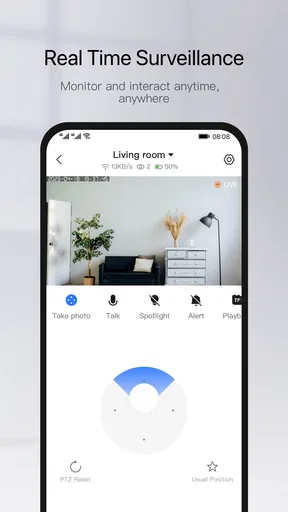
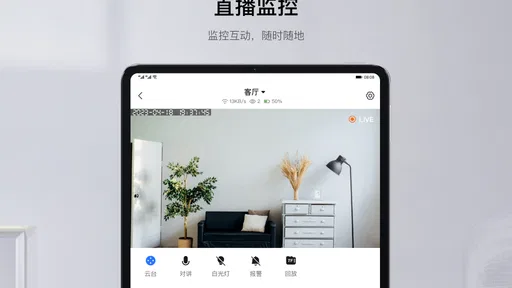
- Live Monitoring: Real-time video monitoring is at the core of Yoosee’s offerings. The clarity of the video feed is impressive, even when switching between day and night modes.
- Two-Way Audio: This feature allows you to communicate through your camera device, making it perfect for checking in on pets or even scaring off unwelcome visitors.
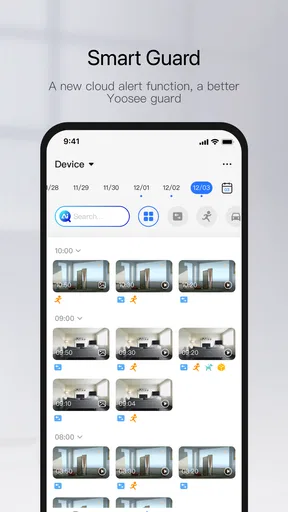
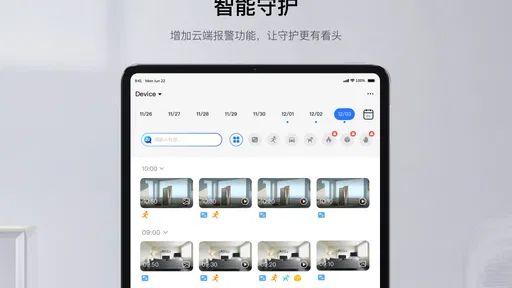
- Motion Detection: Yoosee sends you alerts whenever it detects movement. You can adjust the sensitivity, which is a nice touch if you don’t want to be notified every time a leaf blows by.
- Playback & Recording: The ability to review past footage is essential. Yoosee offers cloud storage options, ensuring your recordings are safe and accessible.
Performance and Reliability
In terms of performance, Yoosee delivers a reliable experience. Throughout my testing, I didn’t encounter any major glitches or crashes, which is always a plus. The app’s responsiveness is commendable, and the live feed updates with minimal lag.
One thing to note, however, is that the quality of your experience with Yoosee can heavily depend on your internet connection. A stable and robust Wi-Fi network is key to ensuring smooth streaming and timely notifications.
Final Thoughts
Overall, Yoosee is a solid choice for anyone looking to enhance their home security setup with minimal fuss. Its user-friendly interface, coupled with advanced features like two-way audio and motion detection, make it a strong contender in the realm of surveillance apps.
While there might be more advanced options out there, for the average user seeking a balance of simplicity and functionality, Yoosee does the job admirably. It’s a great tool to have in your digital toolkit, especially if peace of mind is what you’re after.
So, if you’re in the market for a reliable and efficient security app, give Yoosee a shot. It might just be the addition you need to keep your home safe and sound.
Pros
- User-friendly interface for easy navigation.
- High-quality video streaming and recording.
- Real-time alerts for enhanced security.
- Supports multiple devices and platforms.
- Customizable settings for personalized use.
Cons
- Requires stable internet for optimal performance.
- Some features locked behind a paywall.
- Occasional connectivity issues reported.
- Notifications can be delayed at times.
- Limited compatibility with older devices.
FAQs for Yoosee
What is Yoosee and how does it work?
Yoosee is a mobile application designed for remote surveillance. It allows users to monitor live video feeds from security cameras via their smartphones. The app connects to Wi-Fi-enabled cameras, providing real-time viewing and recording options. It's a convenient solution for home security, offering features like motion detection alerts and two-way audio communication.
Is Yoosee compatible with all security cameras?
Yoosee is compatible with most Wi-Fi-enabled security cameras that support the ONVIF protocol and certain proprietary models. However, it’s important to check camera specifications for compatibility before purchasing. The app works best with cameras that have been verified to work with Yoosee, ensuring seamless integration and optimal performance.
What are the main features of the Yoosee app?
Yoosee offers a range of features including live video streaming, motion detection alerts, two-way audio, and night vision support. Users can also record and playback footage, manage multiple camera feeds, and receive instant notifications of suspicious activity. The app aims to provide comprehensive home security with user-friendly controls.
Is there a cost associated with using Yoosee?
Yoosee is available as a free download on both iOS and Android platforms. While basic features are free, there might be in-app purchases or subscription plans for advanced functionalities like extended cloud storage or enhanced security features. Users should review the app store listing for detailed pricing information.
How secure is the Yoosee app in terms of privacy and data protection?
Yoosee implements various security measures to protect user data, such as encrypted data transmission and secure login protocols. However, users are encouraged to regularly update their app and firmware to the latest versions, use strong passwords, and follow best practices for securing their home networks to ensure optimal security.


